

Part 2
(part 1 https://feltingandfiberstudio.com/2019/08/12/photos-as-reference-and-inspiration-part-1/ )


Thinking back to my earlier post on photos as reference and inspiration I was looking at the lilacs from my back yard and seeing inspiration for nuno felted scarves. Using the flower petals for the ends (perhaps inverted with a block of the nondescript background for the middle. Moy MacKay’s technique with scissors may work with the petals or maybe bits and strands of silk. It would be a fun piece to try.


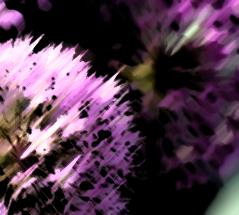
This is one of my Alum flowers in the front yard. Its starburst multi peddled flower reminds me of graphic design from the mid-century modern period (think of the sputnic patterns ~1950’s). Again it would be an interesting end to a scarf.


Here I have started to crop flip and play with the image a bit more. Sometimes a fragment of a photo will be more interesting visually than showing the whole object. It is also much cheaper to play with a design with cropping copying flipping distorting photos on the computer then using all that wool and silk until you have a couple ideas you really like.


I think I would still elongate the sections in between the flowers. My brain then distracts me with what about adding the other 1/3 or the flower and making the edge round with little spiky bits like the flower itself. Oh you easily distracted brain you are going to get me into more trouble!


What If I add a frill to one edge? Or maybe 2 layers of frill but different lengths?


What would happen if I switched and made the longer frill patterned and the shorter one background colours?


These are all symmetrical options. What might an asymmetrical option look like? How would it drape?


I’m sure you get the idea try out the myriad of ideas that flit through the brain on paper or using the computer. A part of a previous idea may create an explosion of new ideas in a totally different direction or for a totally different completed idea.
What am I actually doing with the photos?
I have an old version of “Publisher” by Microsoft. Newer versions of publisher are available by subscription to Microsoft but this old version is working until I am forced to by a new computer and have to get into the 21st c with windows 10.
I am importing the photo to a blank work page and then make copies. I take some of the copies and flip them, invert them, crop them, stretch them. Then I start putting them back together. I can take a pre-made shape and infill the image like this


Then add a second rectangle for the body of the scarf. There is a colour select tool that is helpful to select colours from within the photo. Sometime the colour you think you see is not the colour you see when its isolated. (This is also helpful looking at landscapes or portrait.)


I have been enjoying “Photo pad” which is a free photo editing software for manipulating images too. It doesn’t have the ability to combine photos as publisher dose but there is always a printer, scissors and scotch tape!
Even importing images into word allows some photo manipulations; Increase or decrease resolution, change colour. And there are a number of Artistic effects available.




12 Original photo, 13 “Photocopy”, 14 “Cut out”, 15 “Paint strokes”
There are a lot of other options including one that graphs the picture. An earlier version had an outline effect that looked like a colouring book this edition seems to have lost that.
If you are not already using photography to help inspire your felting I hope you will now consider it. If you have some of these programs give them a try and explore what other features you can put to use. If you have other programs that contain a photo editing option check them out too. You may have another tool in your design tool bag that you had not noticed were there. Have Fun and Happy Felting!